Embroidery Software Buying Guide: Wilcom, Embrilliance, and What Actually Matters
Wilcom or Embrilliance? Get 2026 prices, real shop-floor tips, and a simple way to pick the right embroidery software before you spend a dollar.
You pay close to $4,000 for a digitizing license, click install, and learn it won’t open on your MacBook. I’ve seen that mistake more than once, and it hurts every time. Every best embroidery software comparison you read stacks up feature lists, yet few of them tell you which program fits your computer, your machine, and the orders you actually take.
So let’s do this the practical way. We’ll put Wilcom embroidery software next to Embrilliance, use current 2026 US prices, and share what years of fixing bad stitch-outs taught me, so you spend once and spend right.
Which Embroidery Software is Right for Your Business, Hobby or Commercial?
Pick software based on the orders you take, not the longest feature list. If you stitch purchased designs and add names, an editor does the work. If you sell custom logos, you need real digitizing tools.
Why Choosing the Wrong Software Costs You Time and Money
A bad pick rarely fails on day one. It fails gradually, usually around week three, when a customer sends a logo your program can’t handle. Here’s what I see most:
Wrong operating system. Wilcom EmbroideryStudio is Windows software. Buy it for a Mac and you add a virtual machine on top of the license price.
Paying for tools you never open. A $3,999 license that only resizes purchased files is basically an expensive converter.
Weak tools on paid jobs. Thin satin columns, puckered fills, and gaps between colors send you back to re-sew, which burns thread, blanks, and hours.
A steep learning curve with no plan. Pro programs take weeks to learn, and plenty of owners quit and go back to buying designs.
Surprise upgrade fees. Old versions lose support, and the upgrade price climbs the further behind you fall.
Questions to Ask Before You Compare Any Software
Answer these six questions first. They cut the list down fast.
Which computer do you use, Windows or Mac?
Which file format does your machine read, DST, PES, JEF, or something else?
Do you buy ready-made designs, or make your own from customer logos?
How many orders do you take in a normal month?
What is your full budget, including upgrades and add-ons?
How many hours a week can you give to learning?
If you answered Mac, purchased designs, and a few orders a month, you can stop reading about Wilcom right here.
Wilcom Embroidery Software: Who Should Actually Buy It?
Wilcom suits commercial shops and full time digitizers who work on a Windows PC. It’s the program I see most often in professional digitizing shops. If digitizing pays your bills, it earns its price. If embroidery is a weekend hobby, it doesn’t.
What Wilcom Does Better Than Most Programs
Stitch control. You set underlay, density, and pull compensation object by object. The 2026 release adds independent pull compensation, which gives you finer control on tricky shapes.
Lettering. Small text is where cheap tools fall apart. Tiny lettering stays cleaner in Wilcom than in anything I’ve used at the entry level.
Auto-digitizing with manual backup. Starting at the Decorating level, you get auto-digitizing and applique, plus CorelDRAW Graphics Suite for artwork cleanup.
Creative effects. Designing adds Multi Blend, Maze Fill, and creative stitch types.
Old files stay editable. EmbroideryStudio 2026 opens EMB files from e4.5 and later.
On a rush cap logo, I can fix a crooked outline in a minute because the node tools respond the way I expect.
Where Wilcom Falls Short (Price, Learning Curve, Hardware Needs)
Price. US prices start at $999 for Lettering and top out at $3,999 for Designing, based on listings from late September 2026.
Windows only. Wilcom says you can use it on a Mac through Parallels, but the free trial isn’t available on Mac or inside virtual machines, so you can’t test that setup first.
Hardware. Wilcom recommends Windows 11 (64-bit). The trial page lists a 1920 x 1080 screen and 4GB or more of dedicated graphics memory, so a weak laptop will lag on big designs.
Learning curve. Plan on a month of daily practice before you move fast. The 14-day free trial won’t make you an expert, but it’s long enough to test your own logos.
Wilcom Editions Explained: Which One Fits Your Shop?
EmbroideryStudio 2026 comes in four levels, and each one includes everything in the level below it. All four sell as one time licenses, so confirm the prices at checkout.
Lettering, $999: names, monograms and lettering, plus machine connection. Fits a shop that only personalizes.
Editing, $1299: reshape existing designs, split big designs across hoops, and print job sheets. Good if you buy designs or get files from a digitizer.
Decorating, $1,999: adds auto-digitizing, applique, and CorelDRAW. It also sells by subscription at $790 a year, or $79 a month with a 12-month commitment. Fits small shops bringing simple logo work in-house.
Designing, $3,999: adds full manual digitizing, creative stitch types, Maze Fill, and Multi Blend. This is the pick if you digitize for a living.
Embrilliance: Is It Enough for Lettering, Monograms and Small Orders?
For lettering, monograms, and small orders, yes, and it costs a fraction of Wilcom. It gets tight once you digitize complex logos all day. If you need embroidery software Mac owners can install natively, Embrilliance is the strongest answer I’ve found, since one purchase covers the Mac and Windows versions on every computer you own.
What You Can and Can’t Do with Embrilliance
Embrilliance sells in layers, so check what each layer does before you buy.
What you can do:
Essentials (about $139): merge designs, resize with automatic stitch recalculation, remove overlaps, recolor and add lettering with BX fonts.
StitchArtist Level 1 (about $169): build designs from scratch, trace images into stitch objects, and create applique.
StitchArtist Levels 2 and 3 (about $369 and $649): Level 2 adds SVG import and 3D foam, and Level 3 adds patch tools and BX font creation.
Enthusiast: knockdown stitches, multi-hooping, and design splitting.
Embrilliance Express: a free tool for building words and names from BX fonts.
What you can’t do well:
StitchArtist digitizing is simpler than Wilcom Designing, so detailed artwork needs more hand cleanup.
You buy module by module, so a full setup adds up.
Busy shops with heavy daily volume usually outgrow it.
Prices come from list and dealer pages and move with sales. For monogram-heavy weeks, I’ve stitched out dozens of names from Essentials without one sizing problem, because it recalculates stitches instead of just stretching them.
Embrilliance vs Wilcom: Side-by-Side Comparison
Factor | Embrilliance | Wilcom EmbroideryStudio 2026 |
Operating system | Native Mac and Windows | Windows only |
Price range | About $139 to $649 across tiers | $999 to $3,999 |
Digitizing depth | Basic to mid-level | Full professional level at Designing |
Lettering | Strong, with BX fonts | Excellent, a core strength |
Best for | Home embroiderers, Etsy sellers, small shops | Commercial shops, full-time digitizers |
Learning curve | Gentle | Steep |
My rule is simple. Start with Embrilliance if your orders are small and personal. Move to Wilcom when digitizing customer logos becomes your main income.
Features That Actually Matter When Buying Embroidery Software
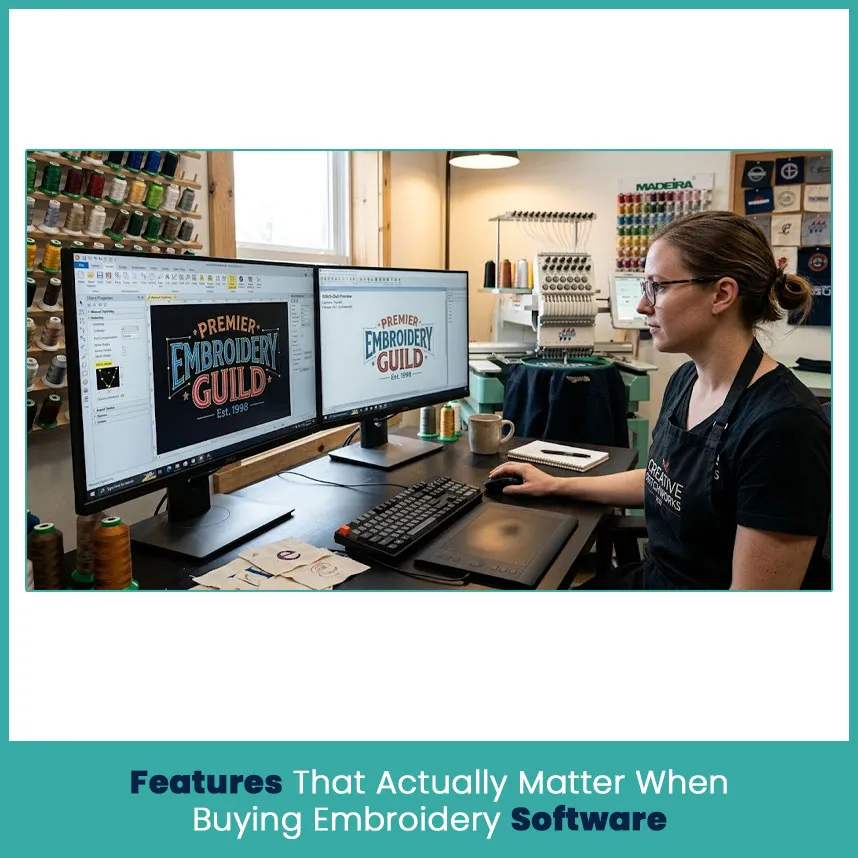
Skip the long feature lists. Three things decide whether your stitch-outs look sharp: how the software digitizes, which files it handles, and how much control you get over each stitch.
Auto-Digitizing vs Manual Digitizing Tools
Auto-digitizing turns artwork into stitches in one click. It works on bold, simple shapes and fails on thin lines, small text, and gradients.
Auto works for: solid-color logos, large shapes, and quick quotes.
Manual wins for: small lettering, fine detail, caps, and towels.
Where to find them: Wilcom starts auto-digitizing at Decorating and adds full manual tools at Designing. Hatch adds auto-digitizing at Composer, and StitchArtist gives you image tracing.
I auto digitized a thin line logo once and rebuilt it by hand the same afternoon. Auto gives you a starting point, not a finished file.
Machine and File Format Compatibility
Your software has to save the format your machine reads. If it can’t, nothing else matters.
DST: most commercial machines, including Tajima.
PES: Brother and Baby Lock.
JEF: Janome. EXP: Melco. VP3: Husqvarna Viking and Pfaff.
EMB: Wilcom’s editable working file. Keep it, because exported stitch files lose the original objects.
I send DST to commercial machines like Tajima and keep the EMB master for edits, since a DST can’t hold the original shapes and settings. Wilcom’s Lettering and Editing levels also support direct machine connections.
Stitch Editing, Underlay and Pull Compensation Control
This is where good software earns its price. Underlay anchors the fabric and stabilizer, and pull compensation widens shapes slightly so they sew out at the right size after thread pulls the fabric in.
During any trial, test these:
Change the underlay on one object without touching the rest.
Set pull compensation separately for a column and a fill.
Edit density, and move a single node without redrawing the shape.
Resize a design and check whether the stitches recalculate.
My go-to test is a quarter-inch lowercase “e” on a polo. If the software can’t sew that cleanly, I stop looking.
How Much Should You Budget for Embroidery Software?
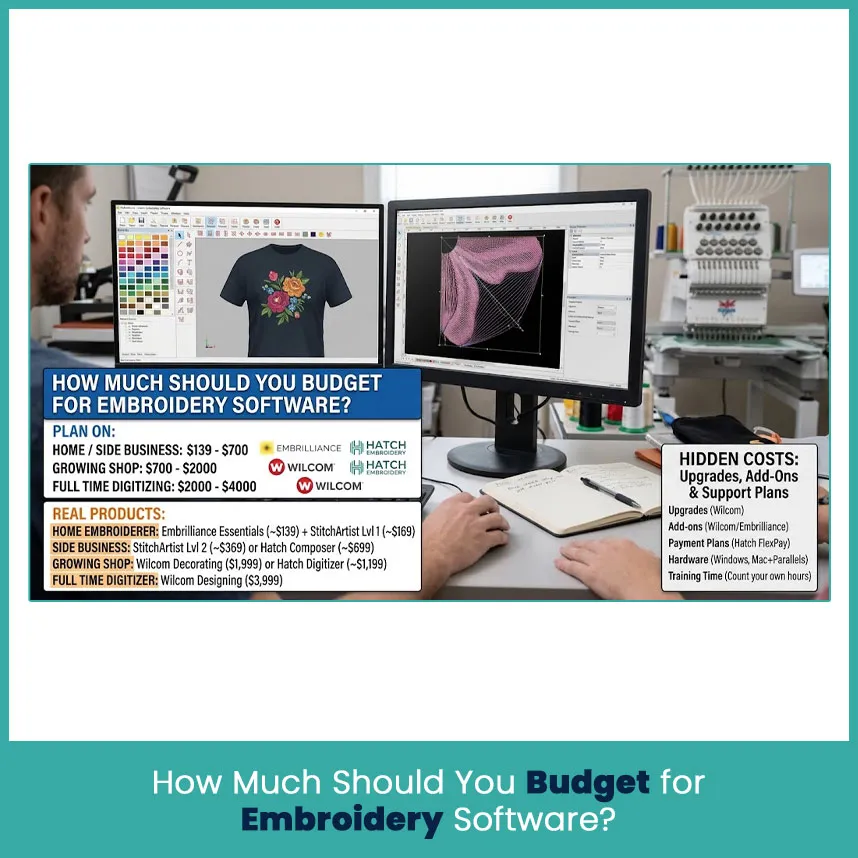
Plan on $139 to $700 for home and side-business work, $700 to $2000 for a growing shop, and $2000 to $4000 for full time digitizing. Here’s how that maps to real products:
Home embroiderer: Embrilliance Essentials at about $139, plus StitchArtist Level 1 at about $169 if you want to digitize.
Side business: StitchArtist Level 2 at about $369, or Hatch Composer at about $699.
Growing shop: Wilcom Decorating at $1,999, or Hatch Digitizer at about $1,199.
Full time digitizer: Wilcom Designing at $3,999.
Hidden Costs: Upgrades, Add-Ons and Support Plans
Upgrades. Wilcom prices upgrades by how old your version is, so the further behind you are, the more you pay. Version e4.5 still works, but Wilcom no longer gives it updates or bug fixes.
Add-ons. Wilcom sells extras like Sequins Advanced, Beading, and Chenille as separate Elements. Embrilliance sells Enthusiast, font collections, and StitchArtist upgrades one at a time.
Payment plans. Hatch’s FlexPay spreads the cost over monthly payments, but updates aren’t included.
Hardware. Windows programs need a decent PC with dedicated graphics, and Mac users add a Parallels license.
Training time. Count your own hours. A program you can’t use quickly costs more than its sticker price.
Always price the whole setup, not the sticker. I’ve seen final bills land well above the first quote.
FAQs
Is Wilcom worth the price for a small embroidery business?
Yes, if you digitize customer logos every week. If you mostly stitch purchased designs, Editing or Embrilliance costs far less and covers the work.
Can Embrilliance create designs from scratch?
Yes, with StitchArtist. Essentials alone edits, merges, resizes, and adds lettering.
Which embroidery software is easiest for beginners?
Embrilliance Essentials is the easiest I know, and it installs on both Mac and Windows. Hatch Organizer or Personalizer comes close on Windows.
Does embroidery software work with every machine brand?
Most programs export the major formats like DST, PES, JEF, and EXP, so yes, for most brands. Check your machine’s format before you buy.
Author Bio
Matthew Davis
Senior Embroidery Digitizer
I'm Matthew Davis, a skilled embroidery digitizer with more than 15 years of practical experience. I specialize in logo digitizing, 3D puff embroidery designs, applique digitizing, custom embroidery digitizing, and working with difficult fabrics. Over the years, I have worked with different fashion brands and production teams worldwide. I always share simple tips and useful techniques to help both beginners and businesses improve their embroidery work.
Subscribe to the newsletter
Get matthewdavis4116 new posts in your inbox.